REACTION VIDEO MAKER FOR SERIOUS CREATORS
Record the reaction. Walk away with a finished vertical.
Load the clip you’re reacting to, press one red button, and pause or rewind it as much as you like — your camera and the source stay locked to the same clock. Choose the layout after you stop, then download the MP4.
$0 today. Your footage stays yours.
3-day free trial, then $39.99/month. Card required — $0 today, cancel before day 3 and you pay nothing. Starting on Free takes no card at all. 14-day refund on your first charge. Cancel any time.
A 30-second loop of one real session, recorded on a free account. The whole thing, with sound, is one section down.
A real session, start to finish.
One recording, not an animation. A creator loads a clip from their own machine, presses the red button, holds the pause to talk over it, picks the layout afterwards, and downloads the finished vertical on a phone. It was shot on a free account, so the watermark you can see is the one your first export carries.
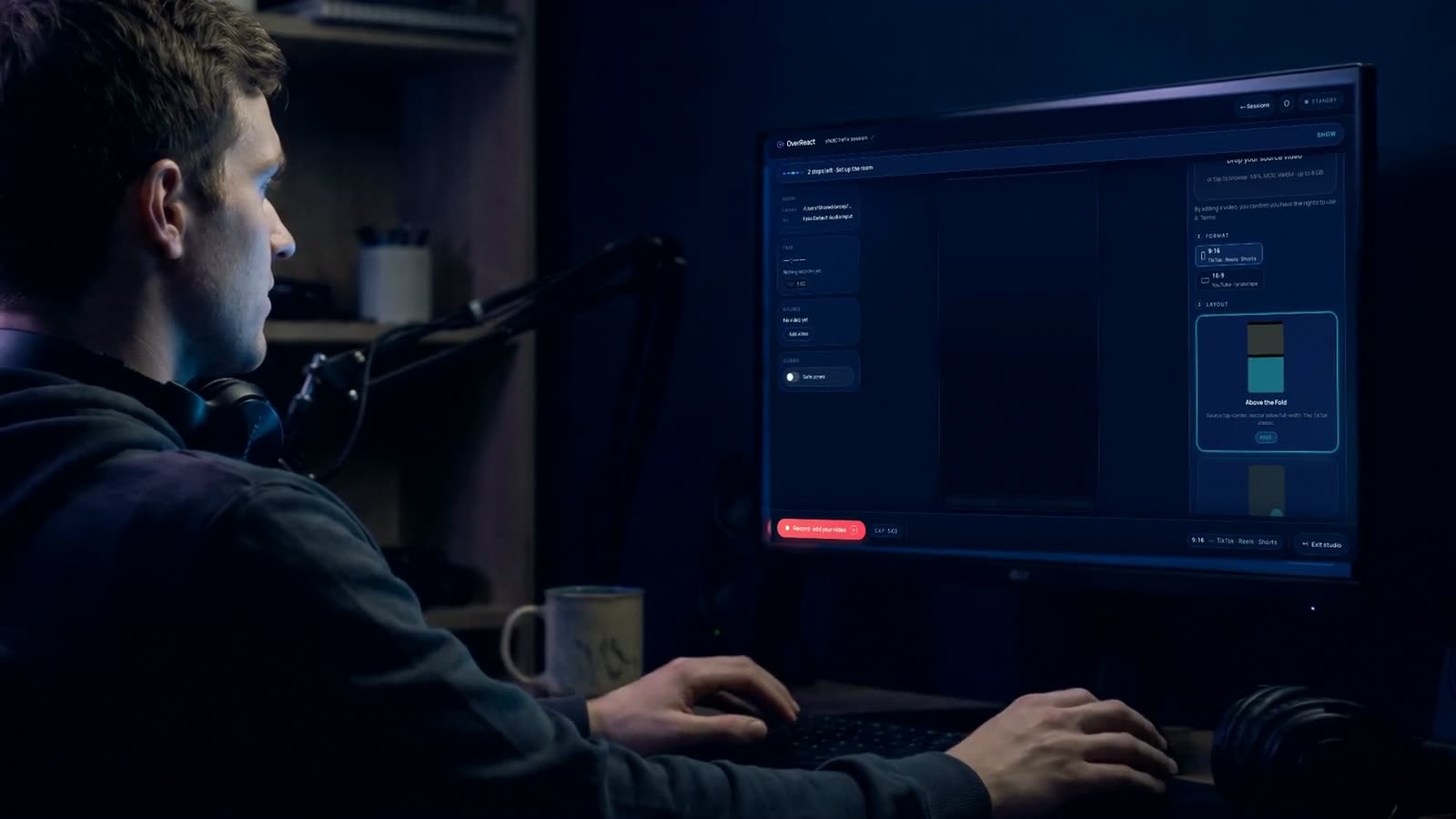 Full run-through
- Shot onA free account, on the plan the button below actually gives you.
- Not re-cutSix shots, one product, no interface redrawn in post.
- What's missingNothing was sped up. The export is the only part you wait on, and you can close the tab while it renders.
No testimonials on this page yet. When creators say something worth quoting, and give us permission, it goes here with their name and their channel on it. Until then the recording above is the review.
$0 today. Starting on Free needs no card.
Pause it. Rewind it. Keep the reaction locked.
Most setups record two clips and trust them to stay together. That works right up until you pause to read something on screen, or rewind ten seconds because the joke was better the second time. OverReact records the source’s timeline as well as yours — every pause, every seek, every restart — and rebuilds the composite from that map.
Recorded, not estimated
The player writes a timestamped entry for every play, pause, seek and rate change. The renderer replays that log instead of guessing where the audio should sit.
Survives a bad moment
The log is persisted while you record, so a browser tab that dies at minute eighteen does not take the sync with it.
Applied at export, never baked in
Layout and aspect are render-time decisions read from that same log, so re-exporting a take in a different layout lands on the identical alignment.
That readout is the composite offset the renderer writes — not a target, not an average.
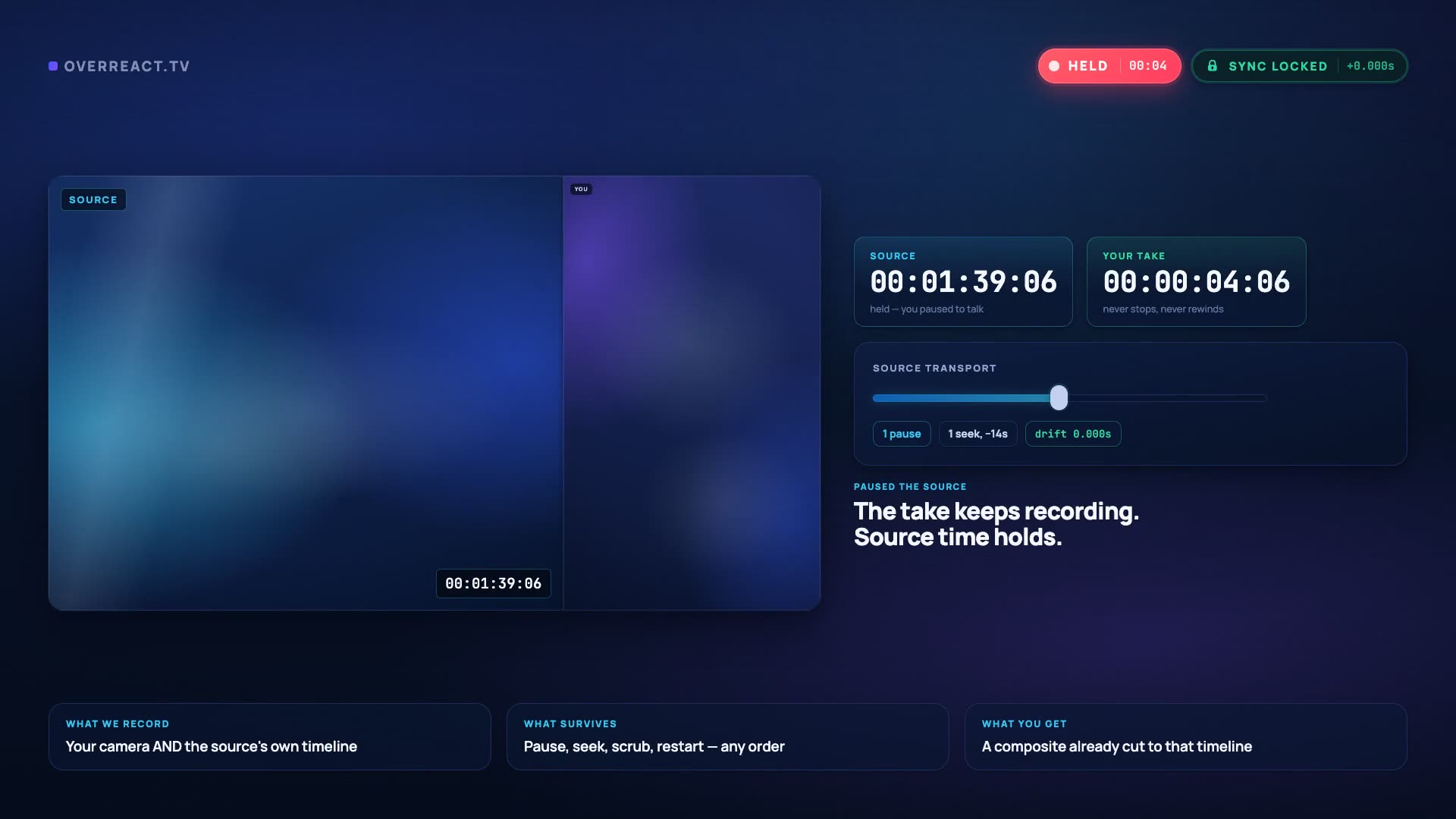 Pause + seek
Source00:09:14:07
Camera00:09:14:07
Drift0 frames
Load, record, choose the layout and download.
The timings are one real run, clocked in Chrome on a 2021 M1 MacBook Air. Your machine and your clip will move them. The take itself is however long you talk for.
Load your source
0:20Drag in the clip you're reacting to from your machine. Most of those twenty seconds is you deciding which clip is worth the reaction.
Record your reaction
0:15Grant camera and mic, check your face against the TikTok and Shorts safe zones, press the red button. The source plays while you react — pause and rewind it as often as you like.
Choose the layout and download
2:50Flip through the 10 vertical layouts after the take, then export the finished 9:16 composite. Change your mind and re-export — it never re-records.
Export time depends on take length, output resolution and how busy the render queue is. Pro sessions go to a priority queue; everything else is first in, first out.
 source
 you
youNow showing Above the Fold. Same recording, different geometry — nothing re-rendered, nothing re-shot.
Put yourself where the reaction needs you.
Try it on the left. Those are the real layout manifests — the same geometry the renderer exports — and switching between them does to the demo footage exactly what it does to your recording: nothing at all. The take is stored as separate tracks, so the layout is applied at export time.
- One take, 10 layouts — decided after you stop recording.
- Most of them have slots you can drag and resize — the renderer uses the exact spot you leave them in, not just the preview.
- Export the same session twice in two layouts without recording again.
- 5 of the 10 are on the free plan — Above the Fold, Face First, Headliner, Marquee and Spotlight. The rest come with Pro.
Pick the layout after you stop. Change it a week later without recording again.
Your recording ends with a finished file, not a dead end.
Every session hands back the composite: you and the source, already in sync, in the aspect and layout you chose. Change either one and export again — the recording is stored as separate tracks, so a new framing costs a render, never a re-shoot. What it does not hand back is a project file, separate camera and source tracks, or a caption sidecar; if your edit needs the layers apart, cut them apart in your editor.
- MP4
- 9:16
- 16:9
- 10 layouts
- take-01-9x16.mp4the finished vertical, ready to upload
- take-01-16x9.mp4the same take, widescreen, from the same recording
- take-01-9x16-corner-pocket.mp4a second layout — re-exported, never re-recorded
Your first sitting ends with a file, not a to-do list.
Sign up, load a clip you already have on your machine, and press the red button. The 9:16 composite starts rendering the moment you stop, and you can close the tab while it finishes. The run in section 05 took 3:25 of hands-on work; yours will mostly cost you the time it takes to decide which clip is worth reacting to.
- Today$0 charged. Starting on Free needs no card at all.
- The trialTry Pro free for 3 days — $0 today, then $39.99/month. Cancel before the trial ends and you pay nothing.
- If you stopCancel before the third day ends and the account drops to Free — 720p with a "Made with OverReact" watermark, 5 of the 10 layouts, and the 24-hour storage clock. The account itself stays open.
- On FreeOn Free, recordings and exports are permanently deleted 24 hours after they are created. Download them before then, or upgrade to keep them.
- RefundsFull refund within 14 days of your first charge on any plan.
- CancellingCancel any time from your billing portal. Access continues until the end of the billing period you already paid for.
Records in your browser. Your footage stays yours.
The questions that decide it.
Everything below is the honest answer, including the parts that are not in our favour.
What actually happens to the sync when I pause the source video?
Nothing. OverReact does not assume the source plays start to finish. Every play, pause, seek and rate change writes a timestamped entry, and your camera records continuously against the same clock. When the composite is built, the renderer replays that log, so a ten-second rewind at minute nine does not push the last minute out of alignment — the alignment is baked into the finished MP4.
What do I actually get at the end?
One MP4: you and the source, already combined, in the layout you picked. The same recording exports at 9:16 for TikTok, Reels and Shorts and at 16:9 for YouTube, re-flowed rather than cropped, and you can re-export it in any of the 10 layouts without recording again. What you do not get is a project file, separate camera and source tracks, or a caption sidecar — none of those exist on any plan, so if your edit needs the layers apart, cut them apart in your editor.
Where does the video I'm reacting to come from?
A file on your machine. You upload the clip you are reacting to, and that is the only way a session starts — there is no in-product way to pull a video from a YouTube or any other URL, and OverReact does not download videos from YouTube for you. Whatever rights you need to the source material, you are holding them, not us.
Can I monetise the reaction videos I make with this?
That depends on the source material and the platform, and we are not going to pretend otherwise. Commentary, criticism and parody can qualify as fair use, but fair use is decided case by case and Content ID can still claim or block a video regardless. OverReact records what you point it at; the rights to the source are yours to hold. Use short excerpts, add substantial commentary, and check the platform's policy before you build a business on a format.
Do I need to install anything, and will it work on my phone?
No install. It runs in Chrome, Edge and Safari on desktop, and in Safari and Chrome on iOS and Android — the studio is a browser tab, so you can record a whole session from your phone, and the finished file downloads to the phone itself. Recording happens locally on your device; your upload speed affects how quickly a session finishes processing, not how good the recording is.
What happens to my recordings on the free plan?
On Free, recordings and exports are permanently deleted 24 hours after they are created. Download them before then, or upgrade to keep them. Video storage is the real cost of running this, so persistent storage is a paid feature rather than a hidden subsidy. On Free you will see a countdown on every asset and a download prompt before anything is removed, and nothing on a paid plan is ever auto-deleted.
Does the free trial need a card, and what happens when it ends?
Try Pro free for 3 days — $0 today, then $39.99/month. Cancel before the trial ends and you pay nothing. The card goes on file through Stripe Checkout and $0 is charged today; the first $39.99 bills when the trial ends. Cancel before then and the account drops to Free — 720p, a "Made with OverReact" watermark, 5 of the 10 layouts and the 24-hour storage clock — and the account itself stays open. The trial is for first-time subscribers; if you have subscribed before, checkout bills $39.99 today instead. Full refund within 14 days of your first charge on any plan.
Try it on a real clip
Your next reaction, already in sync.
Sign up, load a clip you already have on your machine, and record a take before you close the tab. Starting on Free costs nothing and needs no card.
Try Pro free for 3 days — $0 today, then $39.99/month. Cancel before the trial ends and you pay nothing. 14-day refund on your first charge. Cancel any time.
Not recording today?
Leave an address and we will tell you when a layout, an export format or a browser gets added. No drip sequence, no “our journey” newsletter.